Who it’s for · Remittance and money transfer
Every corridor you add brings more transfers to check and more EFTRs to file. Quantoflow takes the export you already have, finds the transfers FINTRAC needs to see, and files them directly, with a receipt for each. If filing is all you need, Report is sold on its own.
Transfers out on every corridor you run. Volume is high, and each reportable one is due in five working days.
Money arriving for people in Canada. The clock starts at final receipt, so an incoming transfer is easy to date wrongly.
Many counters, one reporting entity. One sender using two agents on the same day can still be one report.
Funded by account or card, paid out abroad. The transfer is reportable even when no cash changes hands.
File for every client from one login, with each client’s data kept apart.
Under the PCMLTFA regulations, a business that remits or transmits funds is a money services business and reports these transactions to FINTRAC. Amounts are in Canadian dollars, or the equivalent in another currency.
| Report | When you file it | Deadline |
|---|---|---|
| EFTRElectronic Funds Transfer Report | At a client’s request you send, or you finally receive, international transfers of $10,000 or more, at once or across 24 hours. | 5 working days after an outgoing transfer is sent, or after final receipt of an incoming one |
| LCTRLarge Cash Transaction Report | A client funds transfers with $10,000 or more in cash, at once or across 24 hours. | 15 days from the date of cash receipt |
| STRSuspicious Transaction Report | You have reasonable grounds to suspect a transfer, or an attempted one, is linked to money laundering or terrorist financing. Any amount. | As soon as practicable |
| LVCTRLarge Virtual Currency Transaction Report | You receive virtual currency worth $10,000 or more, at once or across 24 hours. | 5 working days after receipt |
The 24-hour rule. Smaller transfers that reach $10,000 together within a 24-hour window, and share the same conductor, third party or beneficiary, are reported as one. The beneficiary test is the one remitters miss: different senders, same recipient. How the 24-hour rule works
Sources: PCMLTFR s. 30: Money services business reporting obligations; FINTRAC: Reporting electronic funds transfers to FINTRAC; PCMLTFR s. 132: Reporting deadlines (5 working days / 15 days); FINTRAC: Reporting transactions to FINTRAC: The 24-hour rule; FINTRAC: Travel rule for electronic funds and virtual currency transfers.
Drag in the CSV or Excel export you already keep.
Approve, and the reports go straight to FINTRAC through its API.
Each filing returns a timestamped receipt, kept with the report.
Some remitters need only their filings handled. Others want to monitor transfers and investigate in the same place.
| What you get | Report on its ownFor remitters that monitor another way, or file mostly EFTRs | Report + Monitoring + CasesFor remitters that work alerts and investigations in-house |
|---|---|---|
| Build, check and file EFTRs, LCTRs, LVCTRs and STRs | Included | Included |
| Spreadsheet upload and REST API | Included | Included |
| Direct filing, with a receipt for every report | Included | Included |
| Your own monitoring rules and a ranked alert queue | Not included | Included |
| Case files, open-source search and an investigation timeline | Not included | Included |
| AI STR narrative drafting | Add-on | Included |
| Unlimited users and multi-tenancy | Included | Included |
Start with Report. Monitoring and Cases are separate modules you can bring in later, without moving your data. Monitoring · Cases
You pay for the reports you file each year. Not for seats, and not for transaction volume.
Up to 1,200 reports a year (about 100 a month)
Starting at $599/month
Smaller MSBs and new registrants filing mostly threshold reports
Up to 12,000 reports a year (about 1,000 a month)
Growing MSBs, PSPs and crypto businesses with steady LCTR, EFTR or LVCTR volume
“The support Quantoflow provided is invaluable. We would not have been able to achieve this on our own no matter how much time we poured into it, and after consulting several external experts without success, The company delivered exactly what we needed in record time. Quantoflow’s assistance allowed us to avoid a costly escalation.”
A compliance firm that moved its clients’ STR and LVCTR filing off manual workflows and onto Quantoflow, with every client run from one account.
Yes. A money services business reports an international electronic funds transfer of $10,000 or more when it initiates one at a client’s request, and when it finally receives one. Transfers that stay inside Canada are not reported on an EFTR. See the EFTR guide.
For an outgoing transfer, on the day it is initiated. For an incoming one, on the day of final receipt. The report is due within five working days after that.
Yes. If a client hands you $10,000 or more in cash and you send $10,000 or more abroad with it, receiving the cash and sending the transfer are each reportable. They have different deadlines: 15 days for the LCTR, five working days for the EFTR.
They can. Transfers for the same beneficiary that total $10,000 or more within a 24-hour window are reported together, even from different senders. Quantoflow applies the rule to the data you upload. How the 24-hour rule works.
It applies to electronic funds transfers for which you must keep an EFT record. The originator’s and beneficiary’s names and addresses, with any account or reference numbers, travel with the transfer. It is separate from filing an EFTR.
The PCMLTFR 24-hour rule says cash amounts totalling $10,000 or more within 24 consecutive hours are a single transaction. FINTRAC guidance describes static windows, but a running clock can catch transactions a static window misses. What the law says, where the readings part, and how to choose a method.
Read the article
Every product line you add maps the three FINTRAC transfer roles differently, and each one carries eight party permutations of its own. Why reporting gets harder as the product set grows, where the mapping breaks, and how to handle it through the API.
Read the article
FINTRAC requires foreign currency transactions to be converted to Canadian dollars using the Bank of Canada rate to test the $10,000 reporting threshold. Here is how that works, where the Bank of Canada data runs out, and how to handle unlisted currencies and stablecoins like USDC and USDT.
Read the article
A ministerial directive does not add a new report type. It removes your dollar thresholds for transactions connected to Russia, Iran or the DPRK. Who issues them, what the three in force require, the report marker teams miss, and why directive failures show up in penalty notices.
Read the article
Five years of FINTRAC enforcement show the same reporting failures behind record penalties. Which violations drew fines, and how to avoid them.
Read the article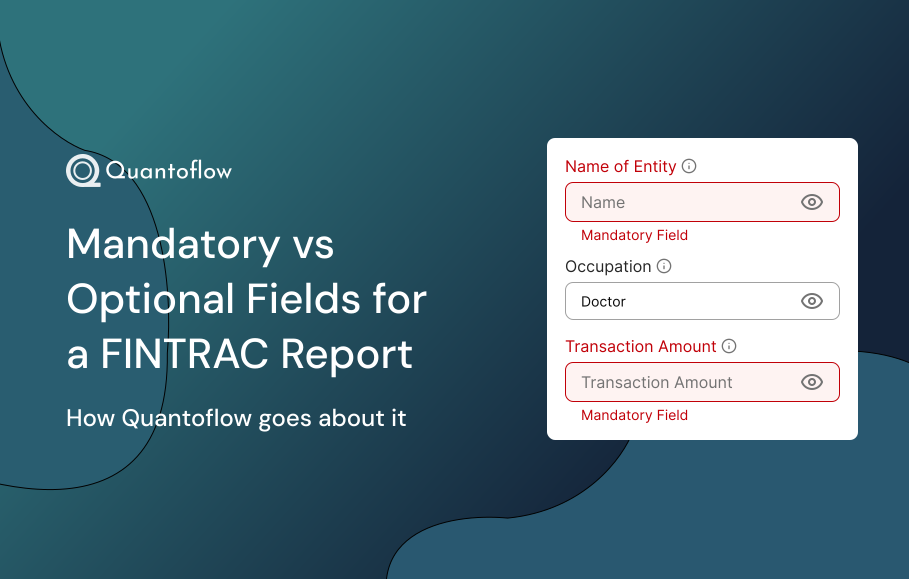
Which FINTRAC fields you must complete, which apply only sometimes, and which call for reasonable measures, with good practice for handling optional information in your reports.
Read the articleSee Quantoflow with your own reports in mind. Book a demo and we’ll show you where the hours go.
